
Spotify provides users with unlimited entertainment by streaming their favorite songs to any device. However, if you are a Spotify Free user traveling to another country for vacation or business, you will quickly encounter a frustrating roadblock: the Spotify 14-day abroad limit.
Due to music licensing agreements, Spotify restricts free accounts from streaming music outside their registered country for more than 14 days. Fortunately, there are several effective workarounds. In this article, we will share the top 4 tips on how to use Spotify abroad without interruptions. Read on to find the best solution for your trip.
- Way 1. Use Spotify Abroad by Changing Your Region
- Way 2. Use Spotify Abroad with Spotify Premium
- Way 3. Unblock Spotify Abroad Restriction with a VPN
- Way 4. Use Spotify Abroad by Downloading Music Offline🔥
- In Conclusion
Way 1. Use Spotify Abroad by Changing Your Region Settings
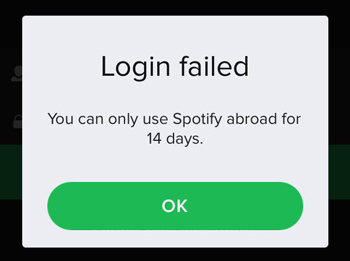
If you are using the basic free version of Spotify, the app will track your location. Once it detects you are in a new country, you can only use Spotify abroad for 14 days. After this period, your library will be locked, and you won’t be able to play any tracks until you return home.
To fix this, you can manually change your country settings to match your current location. Here is how to do it:
Step 1. Log into your account on the Spotify website (you cannot do this in the mobile app).
Step 2. Click on your profile picture and select Account.
Step 3. Click Edit profile.
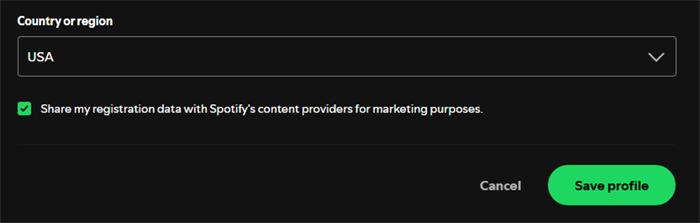
Step 4. Scroll down to Country or region and select your new country from the dropdown list. (Note: The new country will only show up if you are actually physically there).
Step 5. Click Save profile.
Keep in mind that some regions may not support Spotify. Always check Spotify’s availability in your destination country before making changes.
Way 2. Listen to Spotify Anywhere with a Premium Account
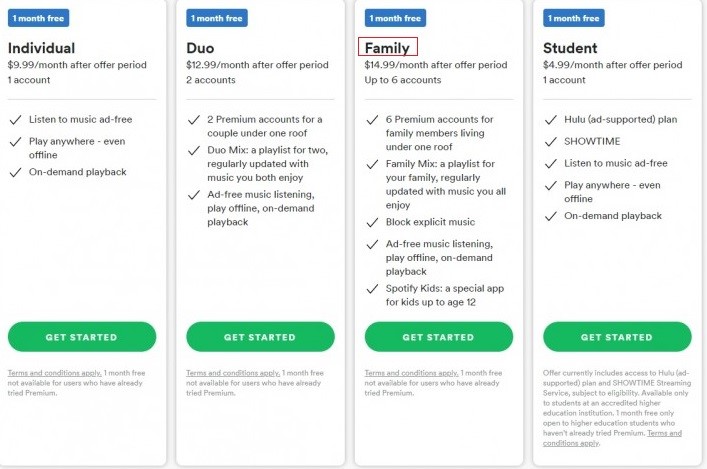
The easiest official way to remove the Spotify abroad restriction is to upgrade to a Spotify Premium account. Premium users are not bound by the 14-day rule and can stream their favorite playlists anywhere in the world for as long as they want.
Subscription costs vary depending on the country where your account is registered. For instance, plans in Asia or South America are generally cheaper than those in the US or the UK. If you travel frequently, investing in a Premium plan (or trying a 1-month free trial if you are a new user) is a hassle-free way to keep your music playing.
Way 3. Bypass the Spotify 14-Day Limit Using a VPN
If you want to keep your free account but have already exceeded the 14-day limit, a Virtual Private Network (VPN) is your best friend. A VPN masks your real IP address and makes it appear as though you are still in your home country, allowing you to unblock Spotify instantly.
To do this, choose a reliable VPN provider (like NordVPN or ExpressVPN) and install the app on your device. Open the VPN, connect to a server located in your home country, and then launch the Spotify app. Spotify will recognize your home IP address, resetting the 14-day clock and letting you stream music without geographical restrictions.
Way 4. Download Spotify Music for Limitless Offline Listening
What if you are traveling to a place with poor internet connection, or you simply don’t want to deal with VPNs and region settings? The ultimate way to use Spotify abroad is to download your playlists as local files before your trip. For this, the AudFun Spotify Music Converter is the perfect tool.
AudFun Spotify Music Converter is a user-friendly program designed to download and convert Spotify songs, albums, and podcasts into standard audio formats like MP3, FLAC, or WAV. It works for both Free and Premium users. By saving the tracks directly to your local drive, you bypass the Spotify app’s DRM protection and region locks entirely.
During the process, AudFun ensures 100% lossless audio quality and preserves all essential ID3 tags (like artist name and album art) for easy music management.
Key Features of AudFun Spotify Music Converter
- Convert Spotify songs to any format according to your needs
- Download Spotify music tracks at a fast rate
- Preserve lossless audio quality of Spotify songs during the conversion
- Remove DRM from Spotify and play Spotify on any device
How to Download Spotify Music to Use Spotify Abroad without Any Limit
Below you can learn how to download Spotify music by AudFun Spotify Music Converter. Then you will see how to use Spotify abroad without any restriction.
Step 1 Install the AudFun Spotify Music Converter onto computer
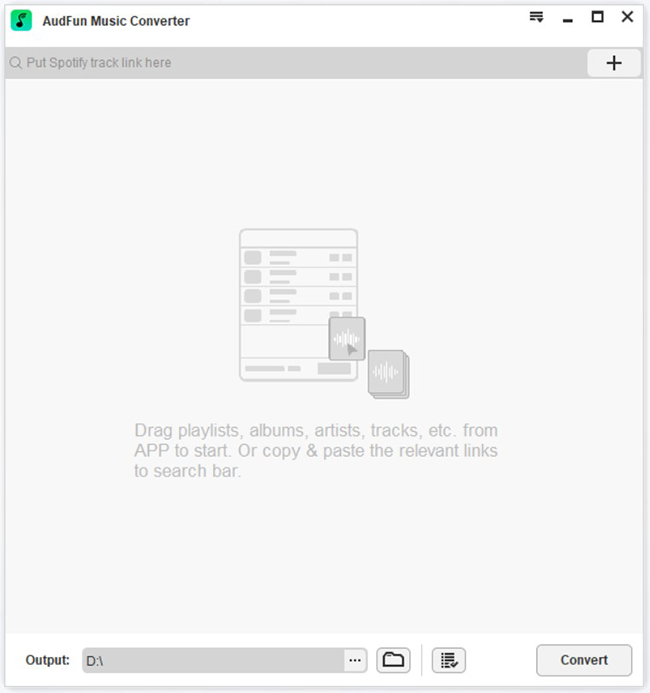
Visit the AudFun Spotify Music Converter website on your computer. And then download the correct version of the tool according to your system OS. Next, install and launch it.
Step 2 Import Spotify playlists and set output audio format
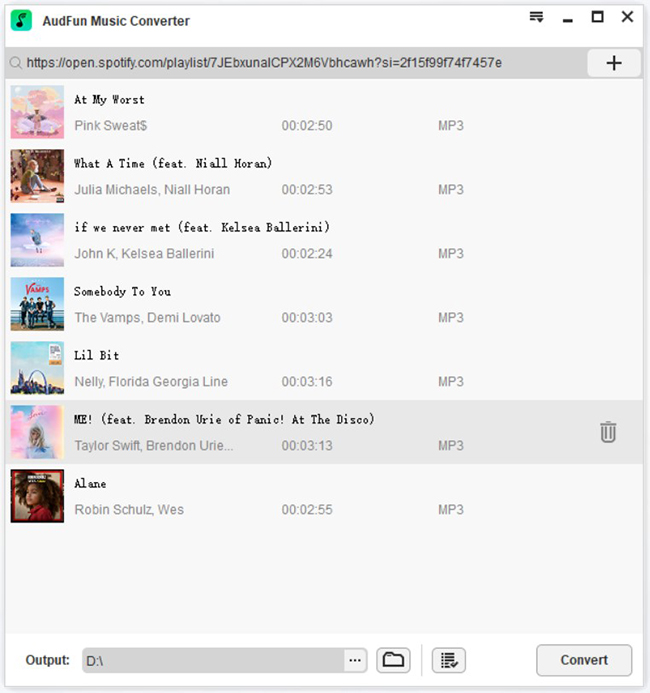
Next, go to the Spotify platform and copy the link to your favorite playlist. Then, paste it to the search bar near the + icon at the AudFun Spotify Music Converter interface. When the Spotify songs are loaded into AudFun, then personalize the output audio parameters by tapping the Preferences icon from the Menu bar. In the customizing window, alter the output file format, bit rate, sample rate, and more.
Step 3 Begin to convert and download music from Spotify for use abroad
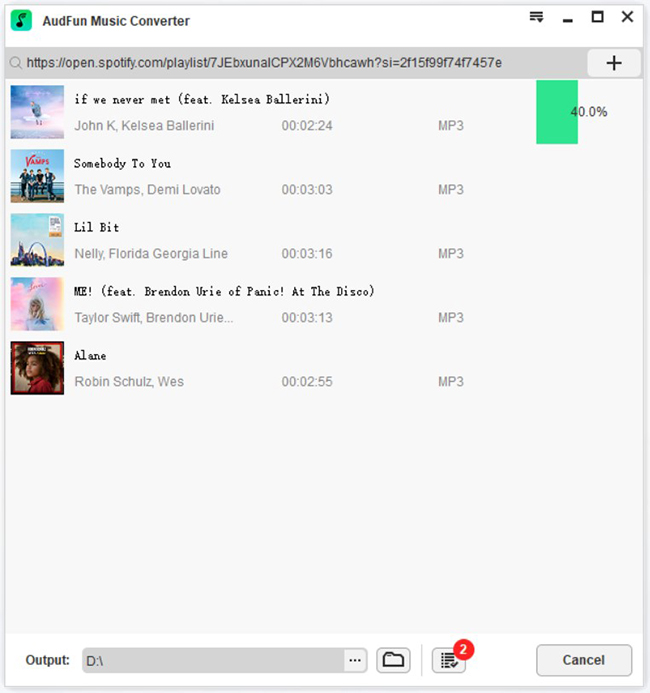
Finally, hit the Convert button to start to download Spotify songs as local audio tracks. The conversion and downloading process of the imported Spotify songs were triggered and it takes a few minutes to complete the entire procedure.
After a few minutes, check out the downloaded songs from the History menu or at the system local drive. Now the songs are available in your drive and you can stream them to any device. At last, you can enjoy your Spotify soundtracks anywhere across the world irrespective of the Spotify abroad restrictions.
Conclusion
Dealing with the 14-day restriction doesn’t have to ruin your travel experience. Whether you choose to update your region settings, use a VPN, or upgrade to Premium, there are plenty of ways to use Spotify abroad.
However, if you want a permanent, internet-free solution, the AudFun Spotify Music Converter is highly recommended. By downloading your favorite tracks locally, you can listen to Spotify anywhere in the world, completely restriction-free. Safe travels and happy listening!