Quick Answer
If you are short on time, here is a quick summary of our top recommendations for offline listening:
- Best Official Method: Spotify Premium provides seamless offline syncing, though it requires a 30-day online check-in and restricts file access.
- Top Open-Source App: SpotiFlyer offers safe, ad-free downloads directly to your local Android storage.
- Ultimate Desktop-to-Mobile Solution: AudFun Spotify Music Converter downloads true 320kbps audio on your computer. Transferring these files to Android bypasses mobile network instability and strict format limitations entirely.
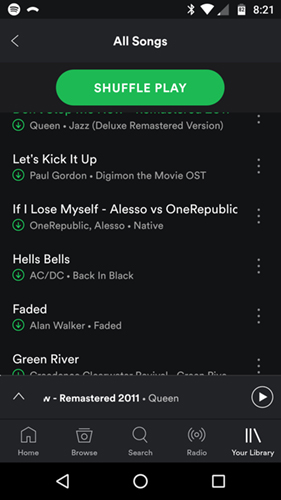
Spotify Premium offers a built-in offline listening feature, but it comes with notable limitations. Users are restricted to protected OGG files, capped at 10,000 songs per device, and forced to log in every 30 days. Furthermore, geo-restrictions and sudden track removals can leave your downloaded library incomplete.
For Android users who want full control over their audio files, relying on the official app is not always enough. You might want to set a specific track as your morning alarm, play music on a standalone smartwatch, or simply back up your favorite albums as local MP3s.
This guide explores the top 10 apps to download Spotify music on Android. Whether you prefer open-source APKs or desktop-to-mobile transfers, these tools will help you overcome playback restrictions and enjoy your music anywhere.
- Part 1. How We Picked the Best Android Spotify Downloaders
- Part 2. Top 10 Apps to Download Spotify Music on Android
- Part 3. Side-by-Side Comparison
- Part 4. Bonus Tip: AudFun Spotify Music Converter (The Ultimate Desktop-to-Mobile Solution)
- FAQs About Apps to Download Spotify Music for Android
Part 1. How We Picked the Best Android Spotify Downloaders
Finding a reliable mobile downloader can be tricky. Many Android APKs are loaded with intrusive ads, suffer from slow download speeds, or simply stop working when streaming platforms update their algorithms. To compile this list, we evaluated dozens of applications based on the following strict criteria:
- Audio Quality: We prioritized apps capable of fetching high-quality audio, ideally reaching up to 320 kbps, ensuring your offline tracks sound just as good as the original streams.
- Format Flexibility: The best apps save files in universal formats like MP3, FLAC, or M4A, allowing you to play them on any native Android music player.
- User Safety: We favored open-source projects and well-reviewed applications that do not require rooting your device or compromising your personal data.
- Metadata Retention: A good downloader should automatically preserve ID3 tags, including album art, artist names, and track titles, keeping your local music library perfectly organized.
Part 2. Top 10 Apps to Download Spotify Music for Android
1. Spotify Premium — Best Official Method
The official Spotify app is the safest way to save music on Android. Upgrading to Premium lets you tap the download arrow on any playlist or album to sync files for offline playback. It integrates seamlessly with Android Auto and background listening without third-party workarounds.
Pros
- Legal and officially supported.
- One-tap syncing for massive playlists.
- No malware risks.
Cons
- Encrypted files cannot be played outside the app.
Best for: Casual listeners wanting easy offline access. Key specs: Ogg Vorbis format, Up to 320 kbps, Paid subscription.
2. SpotiFlyer — Best Open-Source Downloader
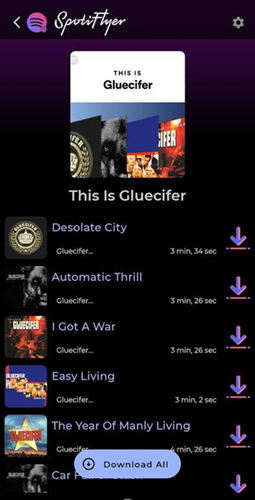
SpotiFlyer is a popular, open-source Android app designed to download tracks directly to local storage. Written in Kotlin, it boasts a clean, ad-free interface. Just copy a Spotify link, paste it into SpotiFlyer, and hit download. It automatically fetches high-quality audio and embeds correct album artwork.
Pros
- Free, open-source, and zero ads.
- Downloads directly to MP3.
- Retains ID3 tags automatically.
Cons
- Occasionally fails on obscure indie tracks.
Best for: Clean, ad-free MP3 downloading. Key specs: MP3 output, Ad-free APK, Cross-platform support.
3. Seal — Best for High-Quality Audio Extraction
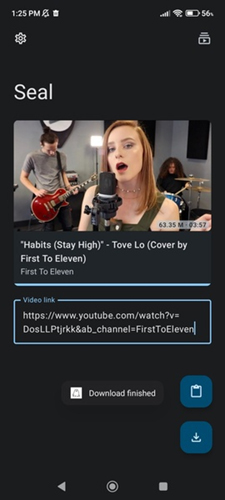
Seal is a privacy-focused media downloader built on the yt-dlp framework. While known for extracting video, it works exceptionally well for Spotify links by matching them with high-quality audio databases. Its Material You design blends perfectly with modern Android interfaces.
Pros
- Gorgeous Material Design UI.
- Customizable formats and bitrates.
- Supports downloading entire playlists.
Cons
- Setup can overwhelm non-technical users.
Best for: Power users wanting granular control over formats. Key specs: MP3/FLAC/M4A, yt-dlp backend, Material You UI.
4. BlackHole — Best All-in-One Player and Downloader
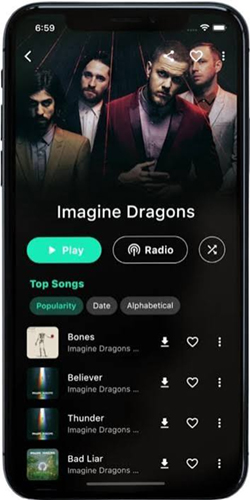
BlackHole is an open-source music player that doubles as a high-res downloader. It allows users to stream ad-free music and download favorite tracks to local storage. You can import Spotify playlists directly, and the app fetches the audio for offline listening, bypassing standard restrictions.
Pros
- Beautiful player and downloader combo.
- Direct playlist import.
- Embedded lyrics support.
Cons
- Requires sideloading (not on Play Store).
Best for: Replacing the official app with a free alternative. Key specs: MP3/M4A, Built-in lyrics, Playlist import.
5. Telegram Bots (Spotify Downloader) — Best for Convenience
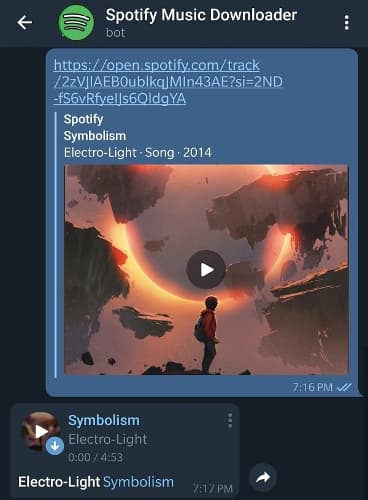
If you use Telegram, you do not need a dedicated downloading app. Numerous Telegram bots are designed to fetch music instantly. Send the bot a Spotify track link, and within seconds, it replies with a downloadable MP3 file to save directly to your phone.
Pros
- No extra app installation required.
- Fast and easy to use.
- Cross-platform compatibility.
Cons
- Bots frequently get taken down.
Best for: Quick, one-off track downloads. Key specs: MP3 output, Cloud-based processing, Requires Telegram.
6. Fildo — Best for Direct Audio Search
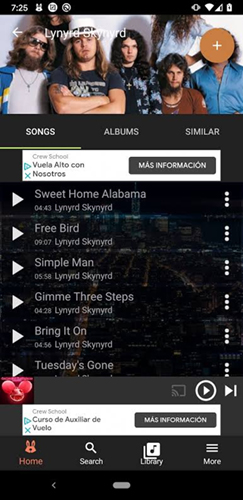
Fildo is an Android audio search engine. Rather than hosting files, it searches third-party databases. It features an “Import Spotify” function where you log in, and Fildo attempts to match your saved playlists with downloadable MP3 files from its network.
Pros
- Direct playlist import for batch downloading.
- Large audio database.
- Built-in audio player.
Cons
- Dated and clunky interface.
Best for: Migrating an entire library to local MP3s. Key specs: MP3 output, Playlist matching, Built-in player.
7. YMusic — Best Alternative Audio Fetcher
YMusic is primarily designed to play YouTube audio in the background. However, because it efficiently extracts audio streams, many use it to download music. By sharing a Spotify track name to YMusic, the app locates the highest quality equivalent and downloads it to your storage.
Pros
- Lightweight and battery-friendly.
- Fast download speeds.
- Great for finding live versions or remixes.
Cons
- Relies on name matching, which can download wrong versions.
Best for: Background streaming and offline saving. Key specs: MP3/M4A, Customizable bitrates, Background playback.
8. SpotifyMate — Best Web-Based Downloader
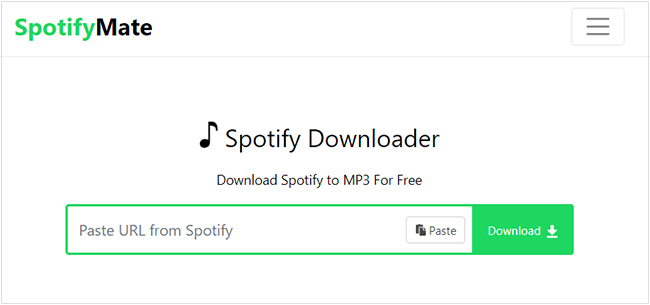
SpotifyMate is a Progressive Web App accessible via any Android browser. You do not need to install an APK. Navigate to the website, paste your track link, and tap download. It processes the link and provides a direct MP3 download to your native “Downloads” folder.
Pros
- Zero installation required.
- Intuitive interface.
- Downloads directly to native file manager.
Cons
- Display ads can be annoying on mobile.
Best for: Users hesitant to sideload third-party APKs. Key specs: MP3 output, Browser-based, No installation.
9. SoundLoader — Best for Simple Link Pasting
SoundLoader is a dedicated app designed to convert streaming links into local audio files. Open Spotify, tap “Share” on a song, and select SoundLoader. The app automatically catches the link, processes the audio, and saves the MP3 file with the correct cover art.
Pros
- Smooth share menu integration.
- Automated downloading process.
- Preserves high-quality artwork.
Cons
- Batch downloading playlists is tedious.
Best for: Saving individual tracks instantly. Key specs: MP3 output, Share menu integration, Automated ID3 tagging.
10. Termux + Spotifydl — Best for Advanced Geeks
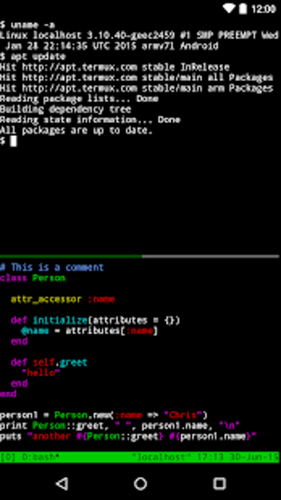
For advanced users, Termux provides a terminal emulator environment on your phone. By installing Python and the spotifydl package, you can run command-line scripts to download entire playlists. It bypasses traditional app limitations and gives absolute control over downloading parameters without bloated interfaces.
Pros
- Ultimate control over formats and metadata.
- Efficient batch processing.
- No graphical ads.
Cons
- Requires command-line knowledge.
Best for: Tech-savvy users who love automation. Key specs: Python-based, Command-line interface, Batch processing.
Part 3. Side-by-Side Comparison
| App / Method | Output Formats | Requires Installation | Batch Download | Price |
|---|---|---|---|---|
| Spotify Premium | OGG (Encrypted) | Yes (Play Store) | Yes | Paid Subscription |
| SpotiFlyer | MP3 | Yes (APK) | Yes | Free |
| Seal | MP3, FLAC, M4A | Yes (APK) | Yes | Free |
| BlackHole | MP3, M4A | Yes (APK) | Yes | Free |
| Telegram Bots | MP3 | No (Uses Telegram) | No | Free |
| Fildo | MP3 | Yes (APK) | Yes | Free |
| YMusic | MP3, M4A | Yes (APK) | No | Free |
| SpotifyMate | MP3 | No (Web Browser) | No | Free |
| SoundLoader | MP3 | Yes (APK) | No | Free |
| Termux + Spotifydl | MP3 | Yes (App + Packages) | Yes | Free |
Part 4. Bonus Tip: AudFun Spotify Music Converter (The Ultimate Desktop-to-Mobile Solution)
While mobile apps are convenient, they often suffer from background task killing, slow speeds, or failing to fetch true 320kbps audio. For a massive library and high-fidelity backups, processing tracks on a computer and transferring them to your phone is superior.
AudFun Spotify Music Converter is a professional desktop application designed to safely bypass format limitations and convert playlists into MP3, FLAC, WAV, or M4A files. It guarantees 100% original audio quality, perfect ID3 tags, and lightning-fast batch conversion that mobile apps cannot match.
AudFun Spotify Music Converter
- Preserves high audio quality output Spotify songs, albums, playlists, etc.
- Supports the conversion of Spotify music files at a high speed of X5 rate
- Listen to Spotify offline without premium on multiple devices and platforms
- Converts Spotify music to several formats like FLAC, M4A, MP3, etc.
Here is how to use it for Android offline listening:
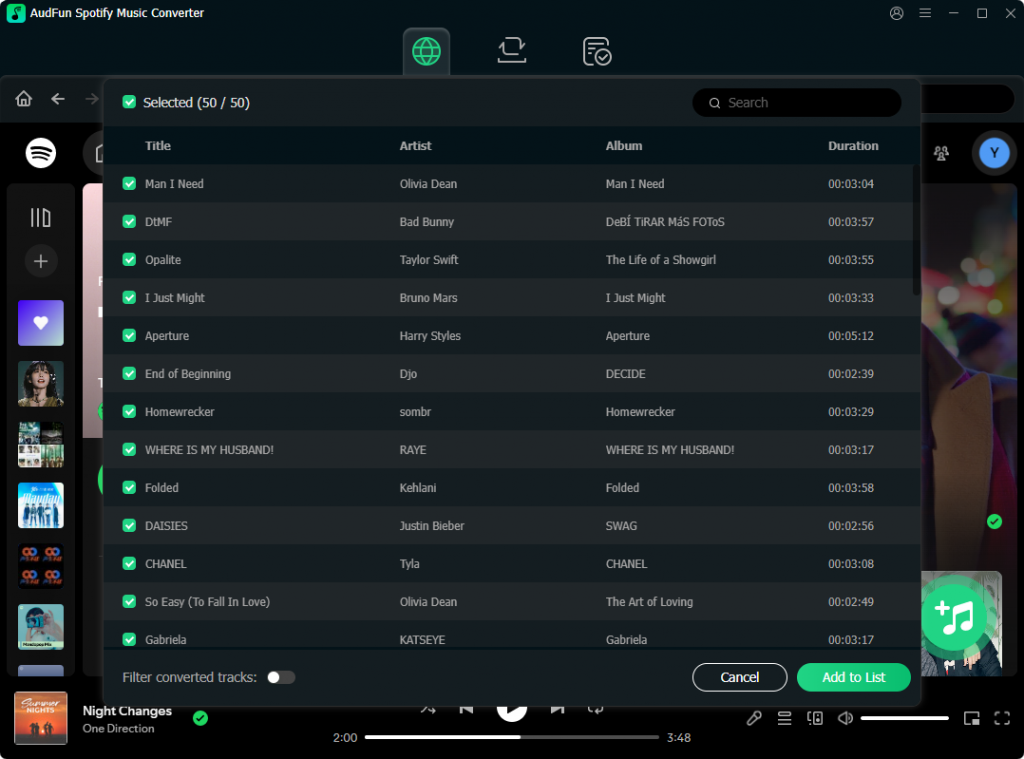
Step 1: Add Tracks Launch AudFun Spotify Music Converter
on your PC or Mac. Launch the program and add your favorite playlists directly through the built-in Spotify web player, or paste the playlist link into the search bar.
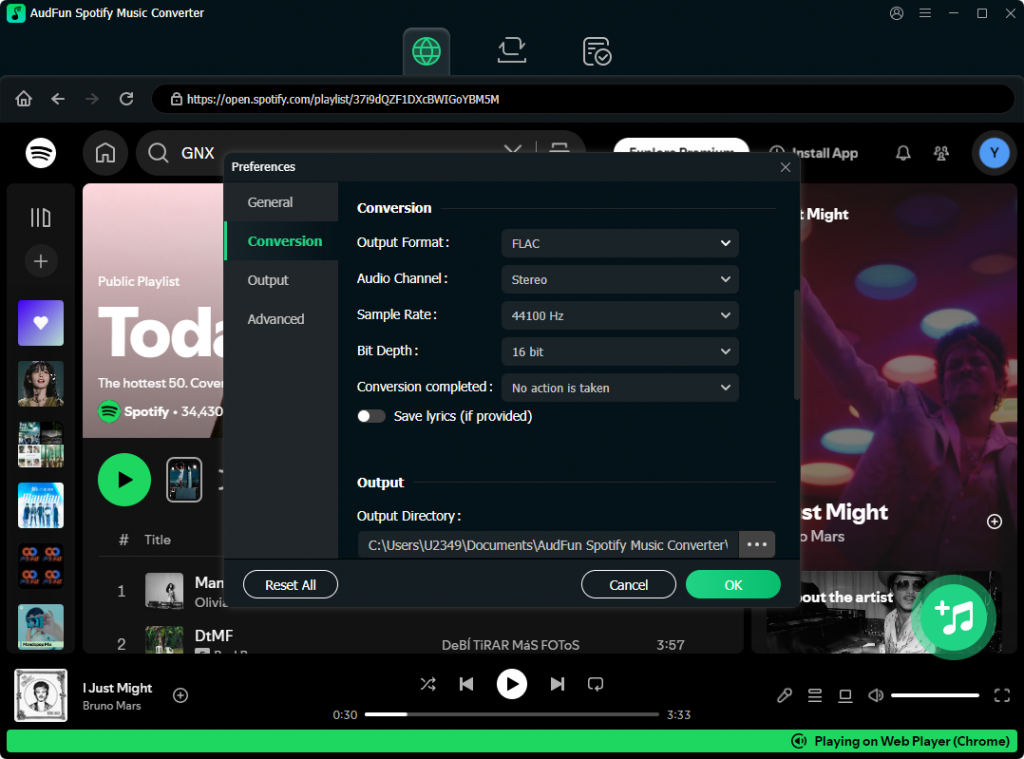
Step 2: Configure Output Settings
Click the menu icon, select “Preferences,” and navigate to the “Convert” tab. Choose an Android-friendly format like MP3 or FLAC. Maximize quality by setting the bitrate to 320 kbps and sample rate to 48,000 Hz.
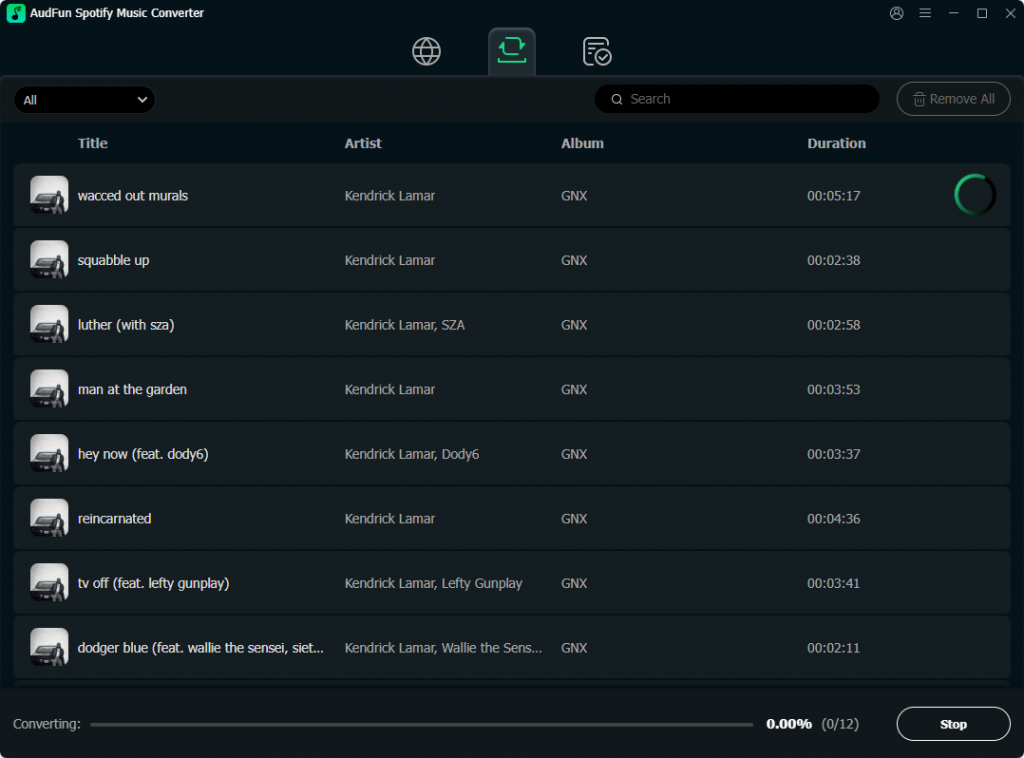
Step 3: Start Conversion
Click the “Convert” button. AudFun Spotify Music Converter will rapidly process your tracks, overcoming playback restrictions and saving pristine audio files to your local drive.
Step 4: Transfer to Android
Connect your Android phone to your computer via USB and select “File Transfer” (MTP) mode. Copy the converted files from your computer to the “Music” folder on your Android device.
FAQs About Apps to Download Spotify Music for Android
1. Is it legal to download Spotify music using third-party apps?
These tools are strictly for personal backup of content you already have the right to access. Do not distribute or monetize downloaded files, and always comply with local copyright laws.
2. Why do some Android downloaders fail to get the exact song?
Many free apps read track metadata and search for matching audio on platforms like YouTube, occasionally downloading a music video version. Dedicated desktop tools like AudFun avoid this issue.
3. Do I need a rooted Android phone?
No. None of these methods require root access. Apps like SpotiFlyer or Seal can be safely sideloaded as standard APK files by enabling “Install from unknown sources.”
4. Will I lose downloaded music if Spotify Premium expires?
Official offline tracks become unplayable without a subscription. However, third-party tools save music as local MP3 or FLAC files, which remain on your device permanently.
5. Can I save tracks directly to my SD card?
Yes. Most third-party downloaders allow you to change the default output directory to your external MicroSD card, saving internal storage.
Conclusion
Choosing the right application depends on your listening habits. If you prefer a seamless route and accept format limitations, Spotify Premium is the easiest path. For free, on-the-go MP3s, open-source apps like SpotiFlyer or Seal provide fantastic mobile experiences.
However, if you are serious about audio quality, metadata organization, and building a permanent local library, a desktop powerhouse is highly recommended. Utilizing AudFun Spotify Music Converter to process tracks and transferring them to your Android ensures a flawless listening experience.
Whichever method you choose, you can finally bypass streaming restrictions and enjoy your music completely offline.