
Quick Answer
- What it is: In this SoundLoader review, we found that SoundLoaders (
soundloaders.app) is a free web URL parser best suited for grabbing casual single tracks, though it suffers from frequent 128 kbps bitrate drops and abrupt 1:35 audio cutoffs. - How it works: It does not extract audio directly from Spotify servers. Instead, it uses track metadata to scrape third-party video proxies like YouTube, often grabbing incorrect live versions or covers.
- Better option: For true 320 kbps lossless quality, accurate ID3 tags, and stable batch playlist downloads, use a dedicated desktop Spotify music converter instead.
Introduction
Searching for a reliable SoundLoader review usually starts after a download fails. You might have landed on a dead .com domain, dodged aggressive pop-up ads, or noticed that your newly saved five-minute Spotify track suddenly cuts off at the 1:35 mark. Worse yet, the tool’s name overlaps with an unrelated Android APK, making it hard to tell which software is actually safe to use.
Free web parsers promise effortless, 320 kbps MP3 downloads without installing software. The reality is far messier. Because these portals match metadata against third-party video servers rather than capturing original streams, you frequently end up with low-bitrate files, live versions, or broken playlist links.
In this guide, we clarify the difference between the active web portal and the mobile app, analyze the true spectrographic audio quality of its output, and map out which links actually work. We also share practical fixes for common URL parsing errors and introduce a stable desktop alternative for lossless batch conversion.
SoundLoaders Overview: Web Parser vs. Android APK Disambiguation
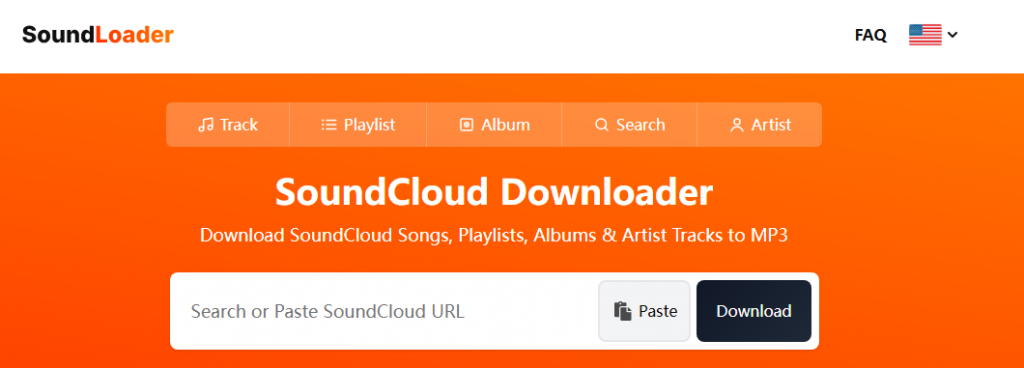
Searching for a reliable SoundLoader review often brings up conflicting information because two completely unrelated tools share nearly identical names. Most users are looking for SoundLoaders, a multi-platform web utility designed to save tracks from Spotify, Apple Music, and SoundCloud. If you try visiting its legacy soundloaders.com address, you will find the download portal is defunct. The service has migrated entirely to soundloaders.app, abandoning its older desktop builds in favor of a browser-based interface.
This web parser should not be confused with SoundLoader MP3 Downloader, a standalone Android APK (currently around v5.2.4 on third-party repositories like Uptodown) developed by mvxGREEN for Android 12L and higher. While the mobile APK focuses on basic SoundCloud link grabbing, the soundloaders.app web portal targets mainstream streaming services.
However, the web tool does not capture audio directly from Spotify or Apple Music servers. Instead, it reads the public metadata from your pasted link—such as track title, artist, and duration—and queries YouTube proxies to find a matching audio stream. Once converted, the site forces its [soundloaders.app] brand prefix onto every saved MP3 filename, requiring manual cleanup if you want a tidy local library.
Audio Quality & Content Boundaries: What SoundLoaders Actually Supports
A thorough SoundLoaders review requires looking past the web portal’s marketing claims to inspect the actual output files. While the interface advertises 320 kbps MP3 downloads, checking the exported files in a spectrum analyzer like Spek reveals a different reality. Even when a file’s container metadata reads 320 kbps, the audio spectrum shows a hard frequency cutoff around 15.5 kHz to 16 kHz. That matches a standard 128 kbps stream. The parser simply re-encodes lower-quality audio from video proxies into a heavier MP3 shell, adding file size without restoring lost high-end detail.
Because the tool relies on automated text queries to locate audio on third-party platforms, track matching is inconsistent. Popular mainstream singles usually come through intact, though often at the lower quality ceiling. Niche electronic tracks, B-sides, or acoustic releases frequently trigger proxy-matching errors. You might paste a link for a studio album cut and receive an audience-recorded live version, an unofficial DJ remix, or a user-uploaded cover with a matching title. A widely reported truncation bug also affects the parser: four-minute tracks occasionally cut off abruptly at the 1 minute and 35 second (1:35) mark, leaving you with an incomplete file.
Content support across the platform follows strict boundaries:
- Single Tracks: Supported on the main track downloader page. It embeds basic ID3 tags (Title, Artist, Album art), though release years and track numbers are sometimes omitted.
- Playlists and Albums: Require switching to dedicated sub-pages on the site, which bundle tracks into a single ZIP archive. In practice, batch parsing frequently stalls or times out if a playlist exceeds 15 to 20 songs.
- Podcasts and Shows: Completely unsupported. Pasting a Spotify episode or show link immediately triggers a “Failed to fetch the URL” error because the backend cannot match spoken-word episodes against music video databases.
How to Fix SoundLoaders Not Working & URL Parsing Errors
Request is blocked due to the account restrictions for Prohibited Use Policy (PUP) violations. If you think this was an error, send feedback.
The Best SoundLoaders Alternative: AudFun Spotify Music Converter
When a web parser fails to fetch URLs or swaps studio album tracks for low-bitrate YouTube rips, moving to a dedicated desktop tool fixes the problem at the root. For listeners who want reliable local files after reading this SoundLoaders review, AudFun Spotify Music Converter is the most dependable desktop alternative for Mac and Windows. Instead of matching metadata against third-party video proxies, it captures audio directly from the Spotify desktop stream. You get the exact song you selected, completely eliminating live-version mismatches and the annoying 1:35 track cutoff bug.
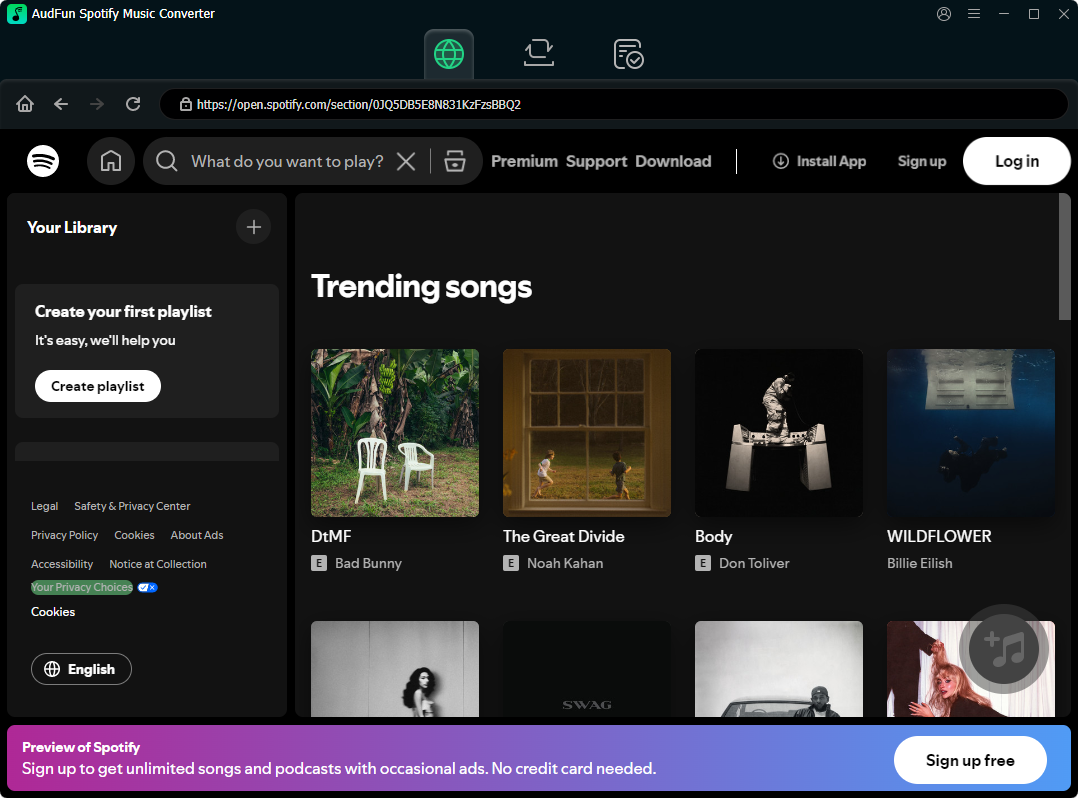
SoundLoaders still makes sense if you only need to grab a single, non-critical MP3 on a public computer without installing software. However, AudFun is built for audiophiles, DJs, and heavy playlist curators who are tired of single-track limits, dead .com domains, and ad-blocker conflicts. It works with both Spotify Free and Premium accounts to convert tracks for personal offline listening across any device.
- True Lossless and 320 kbps Output: Convert audio to MP3, FLAC, WAV, AAC, M4A, or M4B while preserving 100% lossless quality, rather than settling for upscaled 128 kbps files.
- Full Batch Content Support: Download entire Spotify playlists, albums, podcasts, and audiobooks at once without running into “Failed to fetch the URL” errors.
- 5X Conversion Speed with Complete ID3 Tags: Process massive music queues at up to 5X speed while retaining original metadata, including cover art, artist, album, and track numbers.
To see how a direct stream converter stacks up against a web-based proxy parser, check the side-by-side breakdown below.
SoundLoaders vs. AudFun Spotify Music Converter: Feature Comparison
When looking at any SoundLoaders review alongside a dedicated desktop utility, the core difference comes down to how each tool fetches the audio stream. The table below compares the web-based parser against AudFun Spotify Music Converter across six key technical metrics.
| Feature / Metric | SoundLoaders (soundloaders.app) | AudFun Spotify Music Converter |
|---|---|---|
| Audio Source | Third-party video/audio proxies (YouTube matching) | Direct Spotify stream capture |
| Actual Bitrate | ~128 kbps MP3 (despite 320 kbps label) | True 320 kbps MP3, lossless FLAC, WAV |
| Supported Content | Single tracks; unstable sub-pages for albums/playlists; fails on podcasts | Full support for tracks, playlists, albums, podcasts, and audiobooks |
| Batch Stability | Prone to “Failed to fetch the URL” errors and 1:35 track cutoffs | Stable 5X batch conversion with zero mid-song truncation |
| ID3 Tags & Metadata | Basic title/artist; frequent live or remix version mismatches | Complete original metadata (cover art, track number, year, album) |
| Ad Safety & Interface | Browser-based with pop-up redirects and ad-blocker conflicts | Clean, ad-free desktop application (Windows & macOS) |
SoundLoaders still works as a quick, zero-install option if you just need to grab a single mainstream pop song on a secondary device and do not mind 128 kbps audio. For archiving full playlists, downloading podcast episodes, or keeping accurate metadata without sorting through wrong YouTube versions, switching to a direct desktop converter saves hours of manual cleanup.
FAQs About SoundLoaders Spotify Downloader
Why does SoundLoaders say “Failed to fetch the URL” when pasting Spotify links?
As highlighted in this SoundLoader review, this error happens when you paste a podcast, show, or full playlist link into the standard single-track downloader box. Strip the tracking parameters from the URL, switch to the dedicated playlist sub-page if needed, or temporarily disable strict browser ad-blockers that block the parser script.
Does SoundLoaders really download Spotify music in 320 kbps quality?
No. Because the tool uses Spotify metadata to pull matching audio from YouTube proxies rather than capturing the original stream, actual bitrates usually cap at 128 kbps.
Is SoundLoaders safe to use, and why did soundloaders.com stop working?
The legacy .com domain shut down its downloading scripts and migrated to soundloaders.app. While the active site does not bundle malware into MP3 files, it displays aggressive pop-up ads that require an ad-blocker to navigate safely.
Can SoundLoaders download entire Spotify playlists or podcasts at once?
Podcasts and shows fail completely. While a dedicated sub-page exports playlists and albums as ZIP archives, batch parsing frequently times out on large queues; for reliable full-playlist conversions, AudFun Spotify Music Converter is a much more stable desktop option.
What is the difference between SoundLoaders web downloader and the SoundLoader Android APK?
They are completely unrelated tools. soundloaders.app is a multi-platform web utility, whereas “SoundLoader MP3 Downloader” (by developer mvxGREEN) is a standalone Android APK built specifically for SoundCloud tracks.
Conclusion
As this SoundLoaders review shows, the browser-based parser at soundloaders.app works fine for grabbing a single song in a pinch. You do not need to install software or create an account. However, its reliance on third-party video proxies introduces real drawbacks: true audio bitrates top out around 128 kbps, tracks occasionally cut off at the 1:35 mark, and batch playlist parsing fails regularly.
If you just want a quick MP3 for casual offline listening and do not mind occasional live versions or missing metadata, the web tool gets the job done. For listeners who need guaranteed 320 kbps or lossless output, intact ID3 tags, and reliable batch downloads for full playlists and podcasts, switching to AudFun Spotify Music Converter is the much safer bet. Test a single track on the web portal first, or install a dedicated desktop converter to build a permanent offline library without compromises.