Quick Answer
If you want to know how to download Spotify audiobooks to MP3, you need a specialized tool to bypass playback restrictions. Key takeaways:
- Strict Limits: Premium users face a 15-hour monthly limit—which speeding up playback won’t extend—and 30-day offline cache expirations.
- The Solution: AudFun Spotify Music Converter creates permanent, local MP3 backups for unrestricted offline playback on any device.
- Flawless Quality: It guarantees 320kbps audio quality while preserving essential chapter tags and ID3 metadata.
Spotify’s library of over 200,000 Premium audiobooks is a treasure trove, but avid listeners quickly hit frustrating roadblocks. If you are wondering how to download Spotify audiobooks to MP3, you have likely encountered the strict 15-hour monthly listening quota right in the middle of a gripping chapter.
Beyond time constraints, native offline downloads are heavily restricted. They are temporary cache files that expire after 30 days and cannot be transferred to MP3 players, car stereos, or smartwatches due to format compatibility rules.
To achieve true ownership of your offline library, you need a reliable method to convert these encrypted streams. This guide breaks down the platform’s technical barriers and shows you exactly how to secure permanent, high-quality local backups.
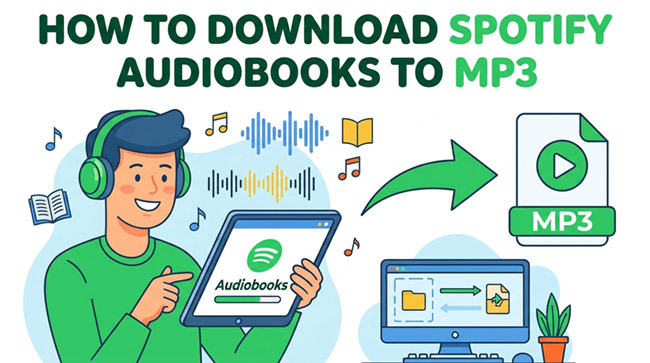
Part 1. Why Native Audiobook Access Falls Short
While Spotify boasts an impressive audiobook catalog, relying on the native app introduces severe restrictions—most notably the strict 15-hour monthly listening quota for Premium users. This allowance is based entirely on the original recording length, meaning listening at 1.5x or 2x speed won’t save your quota, and unused hours expire monthly. Furthermore, on a Family Plan, only the primary Plan Manager receives this allowance, leaving other members locked out without purchasing additional top-ups.
Beyond time constraints, native offline access is fundamentally flawed. In-app downloads are merely temporary cache files that vanish if your device is offline for 30 days, your subscription lapses, or the publisher removes the title. Because they are bound by strict format limitations, you cannot move these files to an external drive or sync them to a wearable device, keeping your library entirely tethered to the official app.
Part 2. Essential Features for a Reliable Audiobook Converter
Selecting the right software is critical for permanent offline listening. Audiobooks are massive, complex files that require specific technical capabilities to handle effectively.
Preservation of ID3 Tags and Chapter Markers
Unlike standard pop songs, audiobooks often span 10 to 20 hours. A reliable converter must preserve crucial ID3 tags, metadata, and chapter markers. Without accurate chapter retention, you are left with a massive, unnavigable single audio file. Trying to manually scrub through a 15-hour MP3 to find exactly where you left off ruins the reading experience.
Robust Batch Processing for Long-Form Audio
Because novels consist of massive data loads, the ideal tool requires robust batch processing. It needs stable memory management to prevent the software from crashing or corrupting the file halfway through a lengthy conversion. Standard music rippers often time out when faced with a 1GB audio file.
True 320kbps Bitrate Output
High-quality voice narration demands absolute clarity. The software should output a true 320kbps bitrate or target a 24-bit/44.1 kHz sample rate to ensure the narrator’s voice remains crisp and free of digital artifacts.
Why You Must Avoid Online Converters
Avoid free online converters entirely when dealing with audiobooks. Web-based tools struggle with large file sizes, frequently dropping connections during long downloads. They apply poor audio compression that ruins vocal clarity and almost never retain chapter metadata.
Part 3. How to Convert Spotify Audiobooks to MP3 with AudFun
Finding software that checks all these technical boxes is the next step. AudFun Spotify Music Converter stands out as the premier desktop solution for building a permanent personal backup.
Unlike temporary in-app cache files that vanish after 30 days, AudFun safely overcomes platform format limitations. It unlocks full access to your favorite narrations for true offline listening on any MP3 player, smartwatch, or e-reader. It effortlessly handles heavy-duty batch processing for massive 15-hour files, ensuring downloads complete smoothly. Most importantly, it retains 100% of the original audio quality and keeps crucial audiobook metadata intact, meaning your final MP3 exports retain their original author details, cover art, and essential chapter markers.
AudFun Spotify Music Converter
- Preserves high audio quality output Spotify songs, albums, playlists, etc.
- Supports the conversion of Spotify music files at a high speed of X5 rate
- Listen to Spotify offline without premium on multiple devices and platforms
- Converts Spotify music to several formats like FLAC, M4A, MP3, etc.
Here is how it stacks up against the alternatives:
| Feature | AudFun Spotify Music Converter | Generic Online Converters | Native App Downloads |
|---|---|---|---|
| Chapter Tags Preservation | Supported perfectly | Rarely Supported | Native UI only |
| Audio Quality | True 320kbps high fidelity | Heavily compressed | High (Premium required) |
| Permanent Offline Access | Yes (Local MP3 files) | Yes (Often unreliable) | No (Expires, 15-hour limit) |
| Batch Processing | High-speed, stable batching | Manual, crashes on large files | Yes (Cache only) |
Step-by-Step Tutorial
Relying on a stable desktop tool is the most practical route. Here is the complete workflow on how to download Spotify audiobooks to MP3 using AudFun Spotify Music Converter.
Step 1: Add Audiobook Titles to the Interface
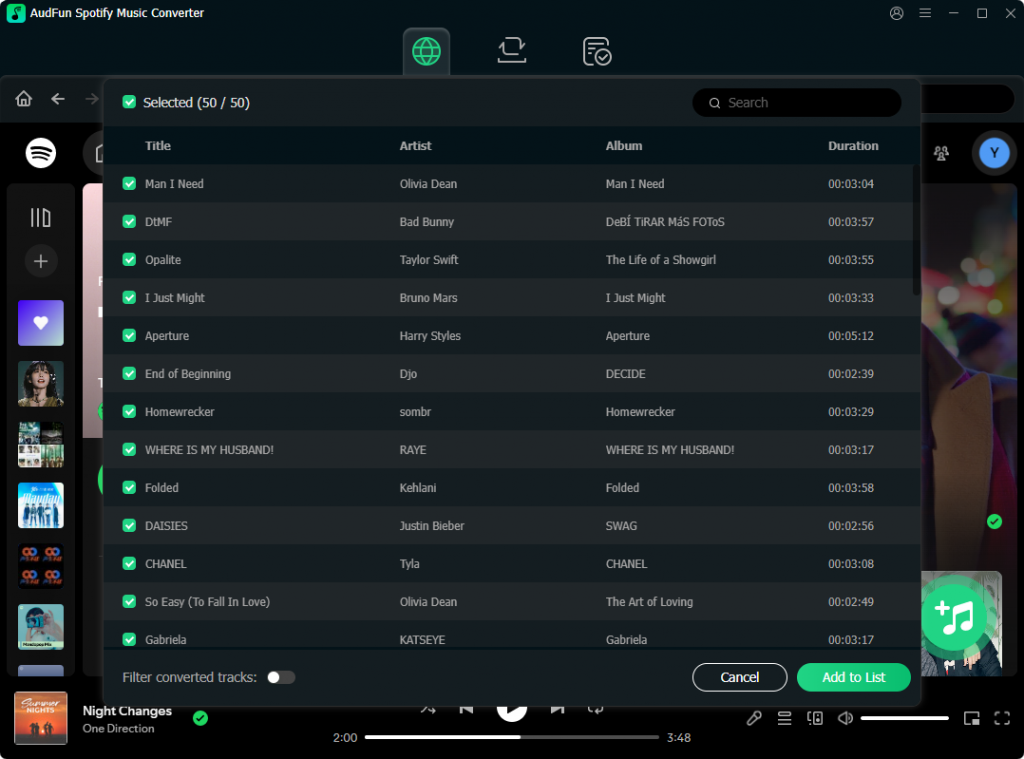
Launch AudFun Spotify Music Converter on your desktop. The official streaming application will open automatically. Browse your library for the audiobooks you want to save. Drag and drop the audiobook cover directly into the AudFun interface, or copy the title’s share link, paste it into the converter’s search bar, and click the “+” icon.
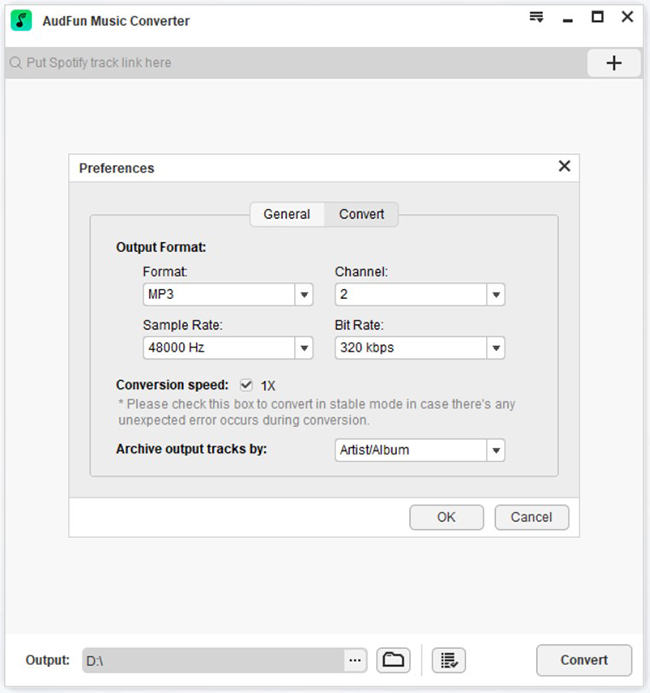
Step 2: Configure MP3 Output and 320kbps Bitrate
Navigate to the preferences menu to customize your audio parameters. Select MP3 as your output format to ensure maximum compatibility across offline playback devices. To maintain crisp vocal clarity, maximize the audio bitrate to 320kbps and the sample rate to 44,100 Hz. The software will automatically prepare to retain critical ID3 tags.
Step 3: Initiate the Batch Conversion Process
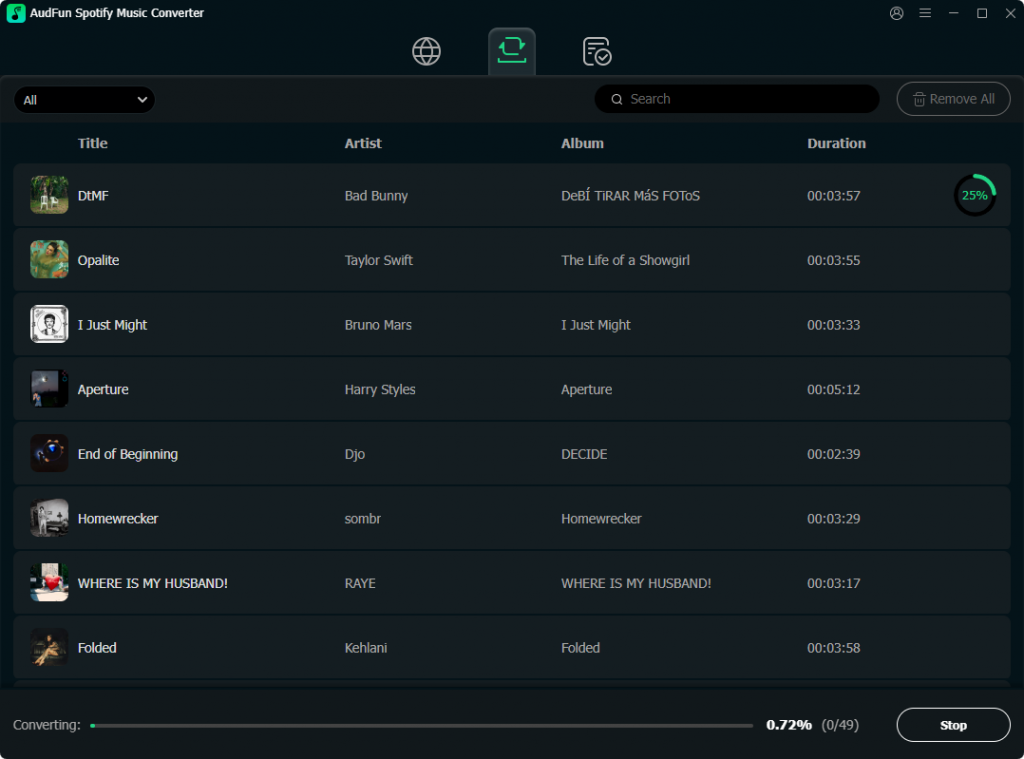
Once your settings are confirmed, click the “Convert” button at the bottom right. AudFun will begin processing the tracks. The software is highly optimized for stability, allowing it to handle long-form audiobook batch processing efficiently without crashing mid-download.
Step 4: Locate and Transfer Your Permanent MP3s
After the download finishes, click the “Converted” history icon to locate your new MP3 files on your local drive. These permanent backups are now completely free from the strict 15-hour monthly listening limit. You can seamlessly transfer them via USB to older MP3 players, smartwatches, or dedicated offline listening apps.
FAQs About Spotify Audiobook to MP3 Conversion
Why did my downloaded Spotify audiobooks disappear?
In-app downloads are temporary cache files tied to your active Premium account. These cached files automatically expire if your device remains offline for more than 30 days, if your subscription lapses, or if the publisher removes the audiobook from the catalog.
Does listening at 1.5x or 2x speed save my 15-hour audiobook limit?
No. The strict 15-hour monthly quota is calculated based on the original recorded length of the audiobook, regardless of your actual playback speed. Speeding up a 10-hour book to 2x speed still deducts the full 10 hours from your monthly allowance.
Can family members share the 15-hour audiobook allowance on a Family Plan?
No. In a Family Plan, only the designated Plan Manager receives the 15 hours of included audiobook listening. Other family members using sub-accounts must purchase a separate Audiobook Access plan or buy individual top-ups.
How can I transfer Spotify audiobooks to an older MP3 player or smartwatch?
Native downloads feature format compatibility restrictions that lock them to the official app, making direct USB transfers impossible. By using AudFun Spotify Music Converter, you can convert the files into a universal MP3 standard, allowing you to freely drag and drop them onto an older MP3 player, Apple Watch, or Garmin device.
Are online converters safe for downloading entire audiobooks?
Online converters are highly discouraged for long-form audio. They are notorious for poor audio compression and frequently time out when processing massive files. Crucially, they almost always fail to preserve chapter tags. For safe, high-quality local backups, a secure desktop application is required.
Conclusion
Learning how to download Spotify audiobooks to MP3 effectively bypasses the platform’s 15-hour monthly limit and 30-day cache expirations. To avoid format restrictions, a dedicated tool like AudFun Spotify Music Converter is essential. It creates permanent local backups with pristine 320kbps audio and preserves crucial chapter tags for easy navigation.
Stop worrying about listening quotas or losing offline access. Start building an unrestricted audiobook library today for uninterrupted playback on any MP3 player, smartwatch, or media system.