
Quick Answer
- Is Spotify Deezer Music Downloader still working in 2026? No, it’s defunct. The extension has been broken for years due to Spotify’s API lockdowns and platform crackdowns — you’ll only encounter “Audio Not Found” errors or a missing Chrome Web Store listing if you try.
- What’s the best alternative right now? AudFun Spotify Music Converter is the safest, most reliable desktop replacement: it captures Spotify tracks offline as MP3, FLAC, or AAC at 320kbps with full metadata, and it runs without extension‑side risks. (Free trial available.)
- Want the full breakdown? Keep reading for a side‑by‑side comparison, an explanation of why web‑store extensions fail, and a step‑by‑step AudFun guide.
Spotify’s free, ad-supported tier remains one of the most popular ways to stream music, but demand for offline, ad-free listening keeps growing — and so does the temptation of free browser extensions. The Spotify Deezer Music Downloader Chrome extension was one such tool, once promoted for grabbing tracks from Spotify, Deezer, and SoundCloud. In 2026, however, it simply no longer works.
The extension has been made obsolete by Spotify’s aggressive Web API blocks and Chrome Web Store enforcement. When you search for it today, you’re more likely to land on a dead download page, a 404 error, or misleading adware lookalikes than a working tool.
In this 2026-updated guide, we examine what this extension was, why it stopped functioning, and what your best alternatives are — including the reliable AudFun Spotify Music Converter for high-fidelity offline Spotify playback.
- Part 1. Introduction to Spotify Deezer Music Downloader & How to Use
- Part 2. Spotify Deezer Music Downloader Alternative – for Spotify Music
- Part 3. Spotify Deezer Music Downloader Alternative – for SoundCloud and Deezer
- Part 4. Bottom Line
Part 1. Introduction to Spotify Deezer Music Downloader & How to Use
Spotify & Deezer Music Downloader Introduction
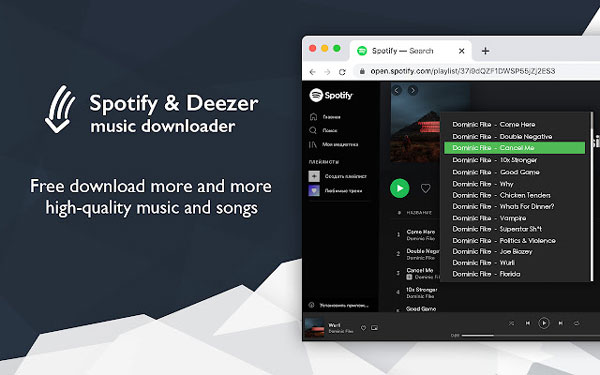
Spotify Deezer Music Downloader is one of the popular Chrome extensions that have the ability to download music from various streaming music sites online. As the name suggests, it can not only download Spotify music but also Deezer songs. To know it more carefully, let’s take a look at the development history of Spotify & Deezer Music Downloader.
In fact, it stopped operating a long time ago. It didn’t make a spectacular comeback until a few months ago. With its bright and simple user interface, it can download music from Spotify, Deezer, and SoundCloud with ease. But the good times don’t last long. Recently, users have started to experience Spotify and Deezer Music downloaders not working properly again.
Remarkably, it is now also known as Music Downloader – Spotify, Deezer, SoundCloud, and Music Saver or DZR Music Downloader – saver for Spotify. If you can’t find it via the original name, please give the other two titles a try.

How to Use Spotify Deezer Music Downloader
If you manage to find it, you can refer to the following tutorial to learn how to use Spotify and Deezer Music Downloader. Here, we show you how to download music from Spotify to computers as an example.
Step 1. Add the Spotify Deezer Music Downloader Chrome extension to your Chrome browser. After the installation is successful, a small icon is displayed on the toolbar in the upper right corner of Chrome.
Step 2. Please click on the icon, you will be taken into Spotify Web Player. It requires you to authorize Spotify access with your Spotify name and password. Free or premium accounts are both available.
Step 3. You can search for music and playlists that you’d like to download. Once found, please tap the items on Spotify Web Player.
Step 4. There is a Download button next to each song, allowing you to download Spotify music online. You can start the download process by clicking it.
Part 2. Spotify Deezer Music Downloader Alternative – for Spotify Music
Since the Spotify ✪ Deezer Music Downloader extension is dead and unreliable, you need a safe, stable alternative. AudFun Spotify Music Converter is the best choice — a dedicated desktop app that downloads Spotify songs, playlists, audiobooks, and podcasts as DRM‑free MP3, AAC, FLAC, WAV, M4A, or M4B at 5× speed.
It solves the old extension’s worst flaws: missing metadata and wrong tracks. AudFun preserves full ID3 tags (title, artist, album, cover art) and original 320 kbps quality, giving you a perfectly organized offline library playable on any device without a Premium subscription.
AudFun Spotify Music Converter
- Download Spotify songs / playlists / audiobooks for free
- Convert Spotify to WAV, MP3, AAC, FLAC, etc. for playback anywhere
- Run at 5X faster conversion speed while converting Spotify tunes
- Play original audio-quality Spotify music on all devices offline
How to Use Spotify Deezer Music Downloader Alternative
With the easy-to-use interface, it can easily control the user tutorial even if you’re not good at technical skills. Now, let’s take a look at how to use this Spotify & Deezer Music Downloader alternative tool.
Step 1 Add Spotify music to this tool
You can install a free trial version of this tool by clicking the Download button above. Each track can only be converted for 1 minute. You need to purchase the full version to unlock it.
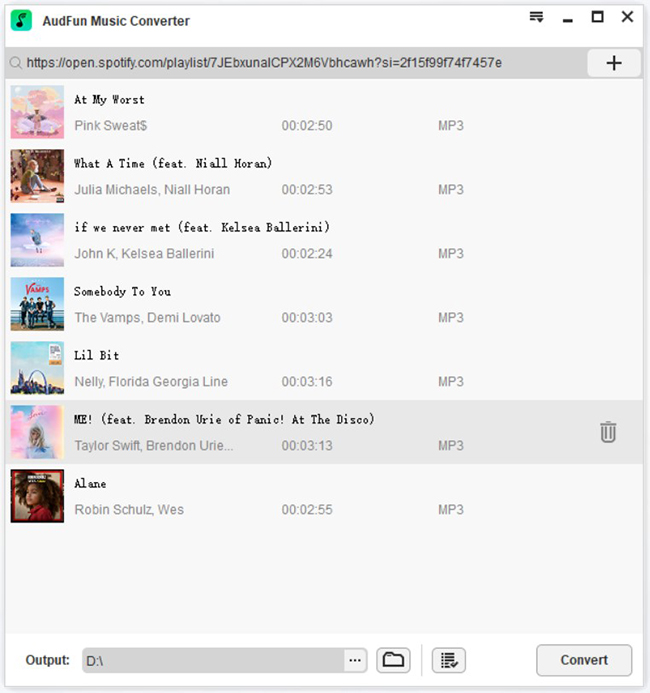
And then, please open it. You will see the Spotify desktop app will be launched automatically. Now, you can start to drag and drop music tracks into the main screen to upload them. Or you can find the playlist, tap the item to select the Share > Copy Spotify Link option, and copy the Spotify URL. Then, paste it into the search box and then click the + button to add them smartly.
Step 2 Customize Spotify output audio parameters for download
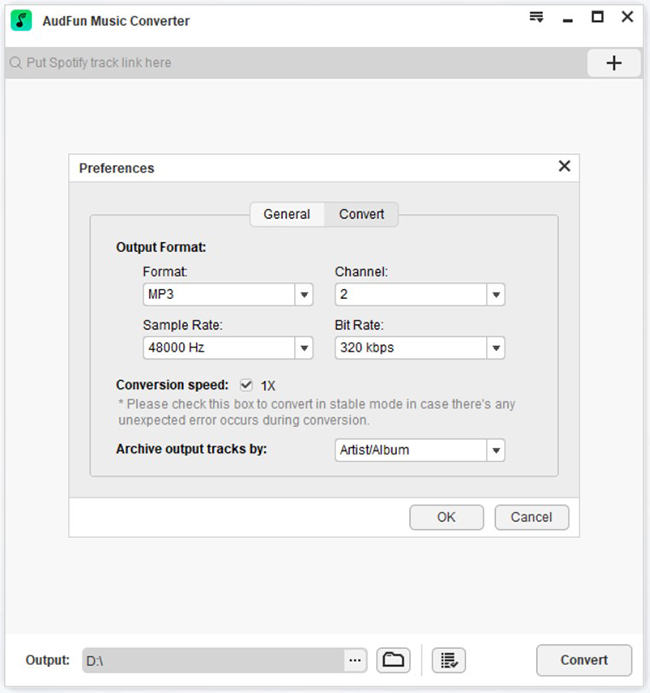
All added Spotify playlists will be displayed on the main screen of this Spotify Deezer Music Converter alternative. Please click the Menu icon in the upper right corner or the AudFree Spotify Music Converter for Mac to select Preferences > Convert to launch the settings window. You can customize the output format, audio channels, bit rates, sample rates, and more as needed.
Step 3 Download and convert Spotify songs at 5X speed
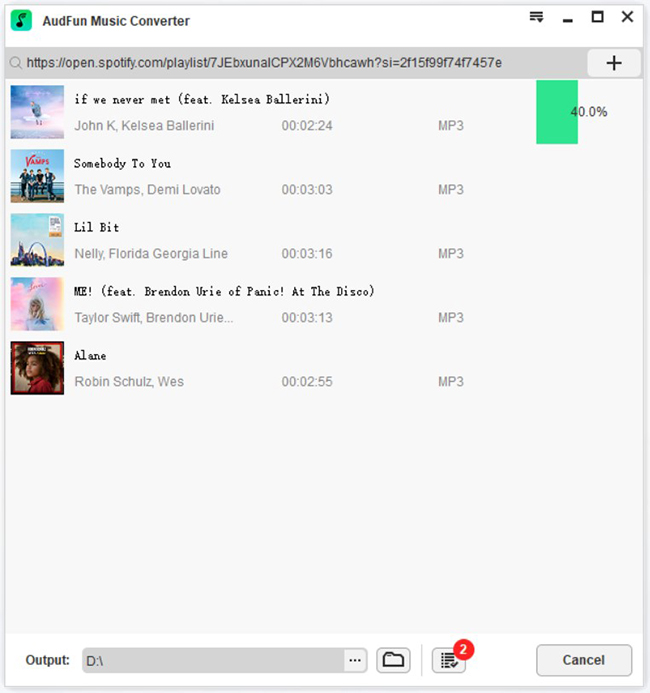
Press the large Convert button, and AudFun Spotify Music Converter will start downloading Spotify to MP3 or whatever format you set up earlier. On average, it works at a 5X conversion speed. That’s to say, you won’t have to wait long. After the conversion process is complete, you can locate and find offline Spotify tunes by clicking the File icon. If you experience Spotify Deezer Music Downloader audio not found or corrupted, please try to fix your problem via this tool.
Part 3. Spotify Deezer Music Downloader Alternative – for SoundCloud and Deezer
The mentioned tool can easily and quickly download and convert Spotify music offline. So, here let’s talk about other parts of Spotify Deezer Music Downloader online. DRmare Audio Capture is an excellent streaming music recorder, which works with almost every streaming music service, including Deezer and SoundCloud music. It’s probably the best alternative to download and extract Deezer music and SoundCloud songs.
It can simultaneously grab multiple tracks from Deezer and SoundCloud, and separate them individually and automatically. Using the built-in ID3 tag editor, you can customize ID3 tags, including title, artwork, year, album, genre, and more. Or, you can choose to keep 100% original ID3 tags.
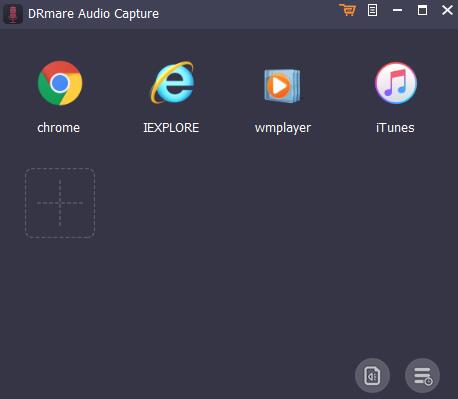
Step 1. Start DRmare Audio Capture on your computer, and then press the + button to add the browser that you will use to access Deezer Web Player and SoundCloud Web Player.
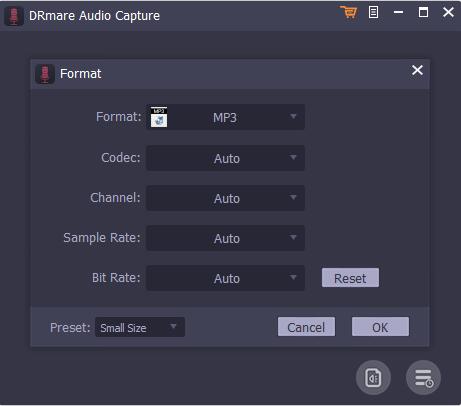
Step 2. In this Settings window, you can define the output formats of Deezer and SoundCloud music by touching the Audio icon in the lower right corner.
Step 3. Open the web browser, navigate to the official website, and discover your favorite Deezer songs and SoundCloud songs. Once found, please play them, and DRmare Audio Capture will automatically grab and download them in real-time.
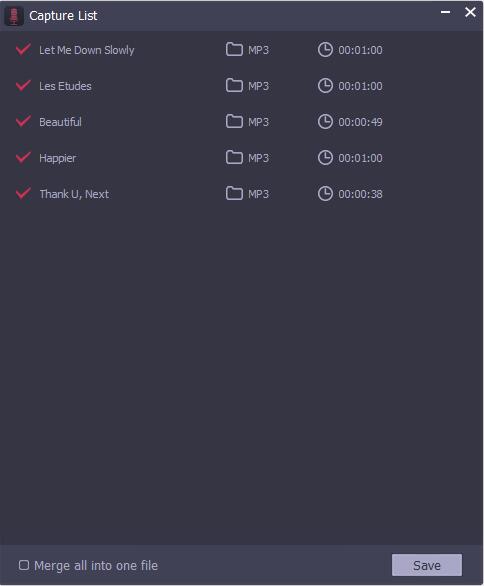
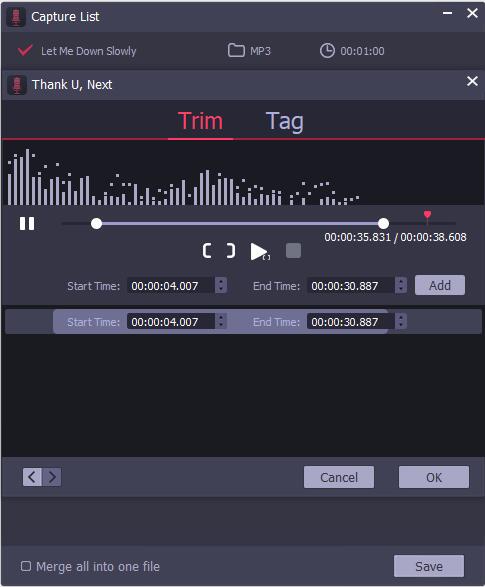
Step 4. When all songs are recorded well, please close the web browser or stop the playing process. You can cut, split, and merge these music files by clicking the Edit icon. Alternatively, you can directly click the Save button to save all songs to the local computer.
Frequently Asked Questions
Is the Spotify Deezer Music Downloader extension safe in 2026?
No. Removed from the Chrome Web Store, it now requires risky manual sideloading. It can’t access Spotify directly and scrapes unverified third‑party sources, exposing your browser and data.
Why do I keep seeing “Audio Not Found”?
The extension’s source‑matching logic is broken. It searches external databases for MP3 previews instead of extracting from Spotify. When those databases change or block requests, it returns nothing — and no updates are coming.
What’s the best working alternative?
Use a maintained desktop converter like AudFun Spotify Music Converter. It processes tracks locally from the Spotify app, preserves 320 kbps quality with full ID3 tags, and outputs to MP3, AAC, WAV, or FLAC — no browser dependencies.
Part 4. Bottom Line
After reading this hot review about the Spotify Deezer Music Downloader Chrome extension and its replacements, you can download music from Spotify, Deezer, or SoundCloud with ease.
Do you have any tips and tricks for using Spotify™ and Deezer™ Music Downloader? Or have you met other alternative tools for this extension? Please feel free to share with us in the comment area below.