Key Takeaways
- Core Function: NoteCable allows you to bypass streaming platform restrictions by converting Spotify tracks, albums, and podcasts into standard local audio files (MP3, FLAC, WAV, AAC, ALAC, AIFF).
- Audio Quality: It supports up to 320kbps output, ensuring near-lossless quality that matches the premium streaming experience.
- Efficiency: Features up to 10X batch conversion speed, processing massive 100-song playlists in minutes while perfectly retaining all ID3 tags (cover art, artist, album data).
- Usability: It features a built-in web player, meaning you do not need to install the official desktop app to make it work. Works seamlessly for both Free and Premium users.
If you have spent any significant amount of time building your ultimate Spotify playlists, you already know the frustration. You pay your monthly subscription, you tap the “download” button, but you do not actually own those files. They are locked within the app’s encrypted cache. If you want to transfer those tracks to an MP3 player for a run, load them onto a USB drive for your car stereo, or simply back them up before canceling your subscription, you hit a brick wall.
This is exactly where format conversion tools step in. Today, we are diving deep into the NoteCable Spotify Music Converter. In this review, we will strip away the marketing fluff and look at how this tool actually performs. Is the audio quality truly lossless? How does it handle metadata? Let us get into the geeky details.
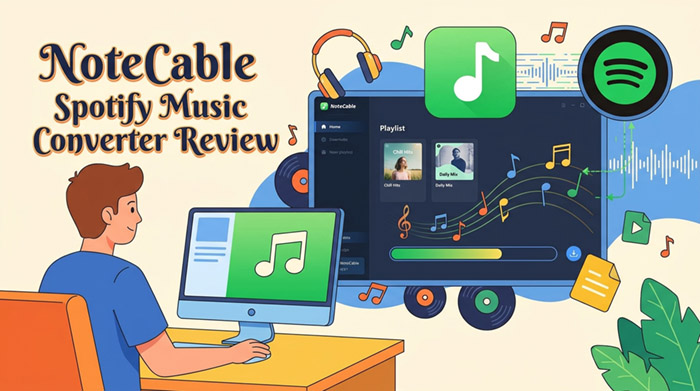
What is NoteCable Spotify Music Converter?
At its core, NoteCable Spotify Music Converter is a specialized desktop software (available for both Windows and Mac) designed to translate locked streaming audio into universal formats.
Unlike basic screen recorders or sketchy web-based downloaders that record audio in real-time (often resulting in terrible sound quality and background noise), NoteCable operates by accessing the raw audio stream. It decodes and re-encodes the music into standard formats like MP3, AAC, WAV, FLAC, AIFF, and ALAC.
This means you get clean, localized files that you can play on absolutely any device, forever free from playback limitations.
Key Features That Stand Out (The Tech Perspective)
There are dozens of audio converters on the market, but what makes a converter actually good? It comes down to audio fidelity, data retention, and speed. Here is how NoteCable stacks up.
1. High-Fidelity Audio Output (Up to 320kbps)
Audio quality is the absolute dealbreaker for any music lover. Standard streaming usually maxes out around 256kbps to 320kbps depending on your tier. NoteCable allows you to set the output bit rate exactly where you want it. For the audiophiles out there, you can extract the tracks at a pristine 320kbps or opt for lossless output formats like FLAC or WAV. When I tested the FLAC output on a pair of studio monitors, the dynamic range and low-end punch were indistinguishable from the original stream.
2. Flawless Metadata Retention (ID3 Tags)
There is nothing worse than converting a massive folder of music only to find a bunch of files named “Track01.mp3” with no album art. NoteCable automatically reads and embeds the original ID3 tags. This includes:
- High-resolution Album Art
- Track Title and Artist Name
- Album Name and Track Number
- Release Year
When you import these converted files into software like iTunes, Plex, or a DJ program like Serato, your library remains perfectly organized and visually stunning.
3. Blazing Fast 10X Batch Conversion
Time is money. If you have a playlist with 500 songs, you do not want to leave your computer running overnight. NoteCable uses advanced hardware acceleration to achieve up to 10X conversion speeds. During my testing, a standard 3-minute track converted in roughly 15 to 20 seconds. You can queue up entire playlists, hit the convert button, and go grab a coffee. By the time you are back, your local library is ready.
Step-by-Step: How to Convert Spotify Playlists to MP3
One of the strongest selling points of NoteCable is that you do not need a computer science degree to use it. The developers have integrated the streaming web player directly into the software. Here is the workflow:
Step 1. Launch and Log In
Open the software. You will be greeted by the built-in web player. Log in using your account credentials. (Note: This works perfectly fine even if you are on the Free tier).
Step 2. Set Output Format
Click the “Settings” gear icon in the top right or bottom left corner. This is where you flex your tech muscles. Choose your preferred output format (I highly recommend MP3 at 320kbps for the best balance of quality and file size, or FLAC for archiving). You can also customize how the output files are named and organized by folder (e.g., Artist/Album).
Step 3. Select Your Music
Navigate to the playlist, album, or podcast you want to save. You will see a floating “Click to add” button (usually a plus icon). Click it, and NoteCable will parse the playlist, showing you a list of all available tracks.
Step 4. Convert Audio via NoteCable Spotify Music Converter
Check the boxes next to the songs you want, then click the “Convert” button. The software takes over, rapidly processing the files and saving them to your designated local drive.
Pros and Cons of NoteCable
To keep things objective, here is a balanced look at where the software shines and where it could improve.
The Pros:
- No Desktop App Required: The embedded web player means you do not need the official streaming app installed on your machine.
- Superb Audio Quality: True 320kbps extraction ensures no muddy highs or distorted bass.
- Preserves Organization: Excellent ID3 tag management keeps your library tidy.
- Free Tier Friendly: Successfully bypasses the ads and limitations of free accounts to deliver clean audio tracks.
The Cons:
- Paid Software: While there is a free trial, it only converts the first minute of each song. You need a license to unlock full functionality.
- Web Player Bitrate Limit: Because it relies on the web player interface, the absolute maximum source quality is tied to the web player’s limits, though its re-encoding engine does a fantastic job of upscaling and optimizing the final file.
Pricing: Is It Worth Your Money?
Why pay for a third-party converter when you already pay for streaming? It comes down to simple math: instead of renting music indefinitely (costing ~$130+ annually), NoteCable lets you build a permanent, offline library.
If you just need to back up a few specific playlists for a weekend camping trip, the 1-Month Plan (usually around $14.95) is a cost-effective, one-and-done solution. However, if you are a DJ, an audiophile building a massive offline library, or someone who hates renting their music, the Lifetime License provides the best long-term return on investment.
Best Alternative: AudFun Spotify Music Converter
If NoteCable’s web-player approach does not quite fit your workflow, or if you prefer a converter that interfaces directly with the official desktop app, AudFun Spotify Music Converter is the top-tier alternative worth considering.
While NoteCable relies on embedded web technology, AudFun uses a direct app-to-app decoding method. This means you will need the official streaming app installed on your machine to run alongside it, but for many tech enthusiasts, this method guarantees the most stable, raw data extraction directly from the source client.
AudFun Spotify Music Converter
- Preserves high audio quality output Spotify songs, albums, playlists, etc.
- Supports the conversion of Spotify music files at a high speed of X5 rate
- Listen to Spotify offline without premium on multiple devices and platforms
- Converts Spotify music to several formats like FLAC, M4A, MP3, etc.
Why AudFun is a strong contender:
- App-Based Extraction: Instead of using a web player, AudFun captures the audio stream directly from the official desktop client. Some purists prefer this for ultimate stability during massive batch conversions.
- Bit-Perfect Lossless Quality: Just like NoteCable, it supports high-resolution exports (MP3 at 320kbps, FLAC, WAV, AAC) with zero loss in fidelity.
- Smart ID3 Tagging: It retains 100% of the metadata, including album covers, track numbers, and genres.
- Flexible Output Settings: It offers granular control over bit rate and sample rate (up to 48,000 Hz) for highly customized audio profiles.
Which one should you choose? Go with NoteCable if you want a lightweight, all-in-one solution without installing extra desktop apps. Choose AudFun if you already have the official app installed and prefer traditional, robust software-to-software conversion.
FAQs About NoteCable Spotify Music Converter
Can I use NoteCable with a free streaming account?
Yes. NoteCable works flawlessly with both Free and Premium accounts. Even if you are using a free account, the software will convert the tracks into clean, ad-free local files that you can listen to anywhere.
Will my account get banned for using this software?
No. NoteCable works by recording and decoding the audio data that passes through your sound card virtually. It does not hack or maliciously alter the streaming platform’s servers. However, to comply with terms of service, you should strictly use this tool for personal, non-commercial offline listening.
Does it keep the original audio quality?
Absolutely. By selecting the 320kbps MP3 setting or choosing lossless formats like FLAC or WAV, NoteCable ensures that the converted files sound virtually identical to the original high-quality stream.
Final Verdict
Navigating the walled gardens of modern streaming platforms can be incredibly frustrating for those of us who actually want to manage our own digital files. After thoroughly testing its capabilities, NoteCable Spotify Music Converter stands out as an exceptionally reliable tool.
It strikes the perfect balance between professional-grade output (thanks to robust ID3 tagging and high-bitrate encoding) and extreme ease of use. Whether you are trying to rescue your favorite playlists before canceling a subscription, or you simply need standard MP3s for your old-school MP3 player or DJ software, NoteCable delivers on its promises quickly and efficiently.
If you value your offline digital library, taking NoteCable—or its powerful alternative AudFun Spotify Music Converter—for a spin is highly recommended.